


1 DASH Discovery
發現通常是在系統上執行DASH可管理性操作的第一步。
最新版本的DASH CLI可以從以下網站下載和安裝: https://developer.amd.com/tools-for-dmtf-dash/
DASH CLI提供以下模式來執行發現:
發現主機名
發現IP地址
發現IP範圍
發現資訊
1.1 Discover Host-name
按主機名發現是發現系統最方便的方法,因為主機名比IP地址更容易記住。 系統IP地址可能會隨時間而變化,但主機名通常只設定一次。
通過DASH Discovery,用戶可以通過在控制台中鍵入discover命令來檢查系統的可管理性,如下所示:
如果成功,目標系統將響應以下響應:
DASH system(s) discovered:
hp6005g:623
DASH發現輸出具有以下内容:
|
Fields |
Output |
Description |
|
Host Name |
hp6005g |
Host Name of the system on which DASH is enabled |
|
Port |
623 |
Port used for DASH Discovery, 623 by default |

1.2 Discover IP Address
dashcli -h 10.136.6.63 discover
DASH system(s) discovered:
10.136.6.63:623
DASH發現輸出具有以下内容:|
Fields |
Output |
Description |
|
IP Address |
10.136.6.63 |
IP Address of the system on which DASH is enabled |
|
Port |
623 |
Port used for DASH Discovery, 623 by default |
1.3 Discover IP Range

dashcli -s 10.136.6.62 -e 10.136.6.64 discover
注意:這裡的標誌-s表示起始IP地址,標誌-e表示結束IP地址。
此命令的示例輸出如下:
Checking 10.136.6.62 ...
Checking 10.136.6.63 ...
Checking 10.136.6.64 ...
DASH system(s) discovered:
10.136.6.63:623
DASH發現輸出具有以下内容:
|
ields |
Output |
Description |
|
IP Address |
10.136.6.63 |
IP Address of the DASH enabled system |
|
Port |
623 |
Port used for DASH Discovery, 623 by default |

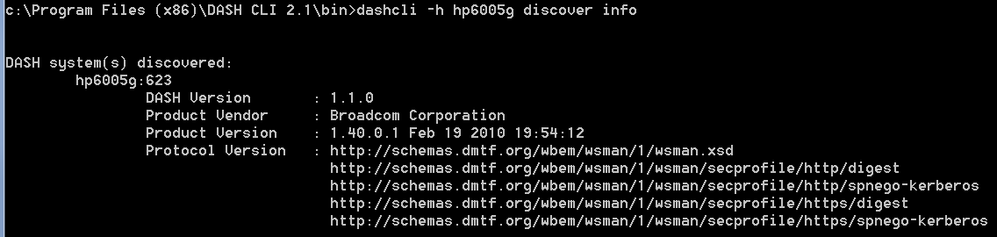
1.4 Discover Info
dashcli -h hp6005g discover info
Output:
DASH system(s) discovered:
hp6005g:623
DASH Version : 1.1.0
Product Vendor : Broadcom Corporation
Product Version : 1.40.0.1 Feb 19 2010 19:54:12
Protocol Version : http://schemas.dmtf.org/wbem/wsman/1/wsman.xsd
http://schemas.dmtf.org/wbem/wsman/1/wsman/secprofile/http/digest
http://schemas.dmtf.org/wbem/wsman/1/wsman/secprofile/http/spnego-kerberos
http://schemas.dmtf.org/wbem/wsman/1/wsman/secprofile/https/digest
http://schemas.dmtf.org/wbem/wsman/1/wsman/secprofile/https/spnego-kerberos
“發現資訊”命令具有以下内容:
|
Fields |
Description |
|
Host Name |
Dash enabled system host name or IP Address |
|
Port |
Port used for DASH Discovery, 623 by default |
|
DASH Version |
Version of DASH protocol implemented |
|
Product Vendor |
NIC vendor implementing the DASH Protocol |
|
Product Version |
Version of DASH implementation |
|
Protocol Version |
Schema Version used for evaluation of the output |
|
Security Profile(s) |
The Set of security profile definitions supported |
This concludes our discussion of Discovery on DASH CLI
Appendix - AMC
AMC(AMD管理控制台)是用於DASH可管理性的GUI工具。 AMC可以從現場安裝: https://developer.amd.com/tools-for-dmtf-dash/
有關AMC Discovery的更多詳細資訊,請參閱部落格: https://community.amd.com/docs/DOC-2193
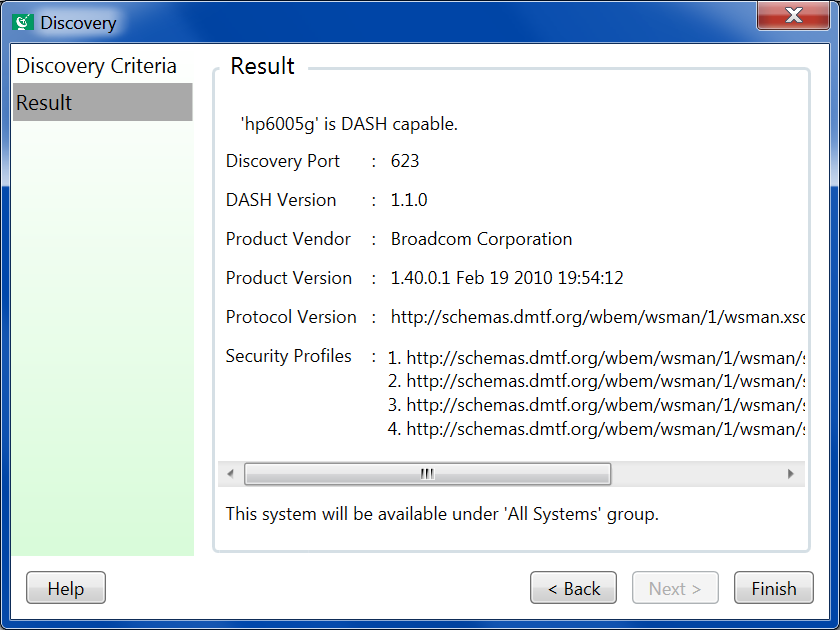
對於AMC軟件的用戶,AMC中也提供了發現資訊。 使用“發現”按鈕添加新系統後。
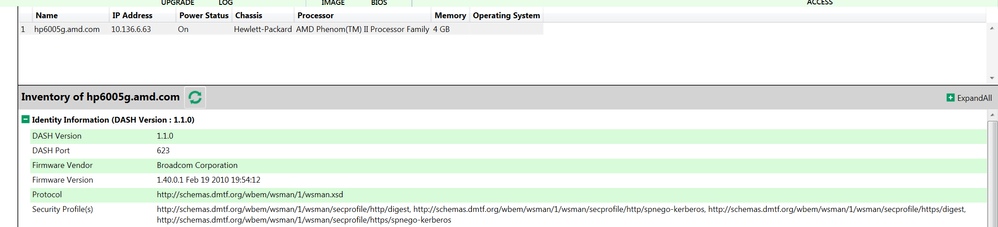
在“庫存”部分也可以看到發現資訊:
如有任何疑問,請在下麵留言或通過郵件聯繫: dashsupport@amd.com
有用的 links:
- DASH CLI download: www.amd.com/DASH
- DMTF DASH: https://www.dmtf.org/standards/dash
- Community Discussion: https://community.amd.com/community/devgurus/dmtf-dash
評論